As a Saladin Pro affiliate, your commission information is always updated clearly and transparently. You can track your earnings through your dashboard.
On the Saladin Pro website Select the "Income" tab. Select the time period (month) corresponding to the order creation date you wish to track to view your detailed income history. |
|
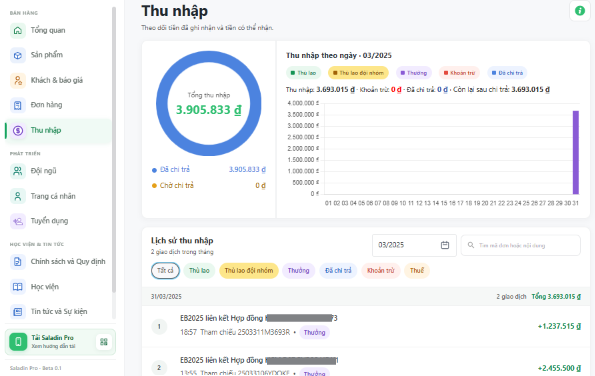
On the Saladin Pro App On the homepage, tap on "Total Income/ Orders". Select the time period (month) corresponding to the order creation date you wish to track to view your detailed income history. | 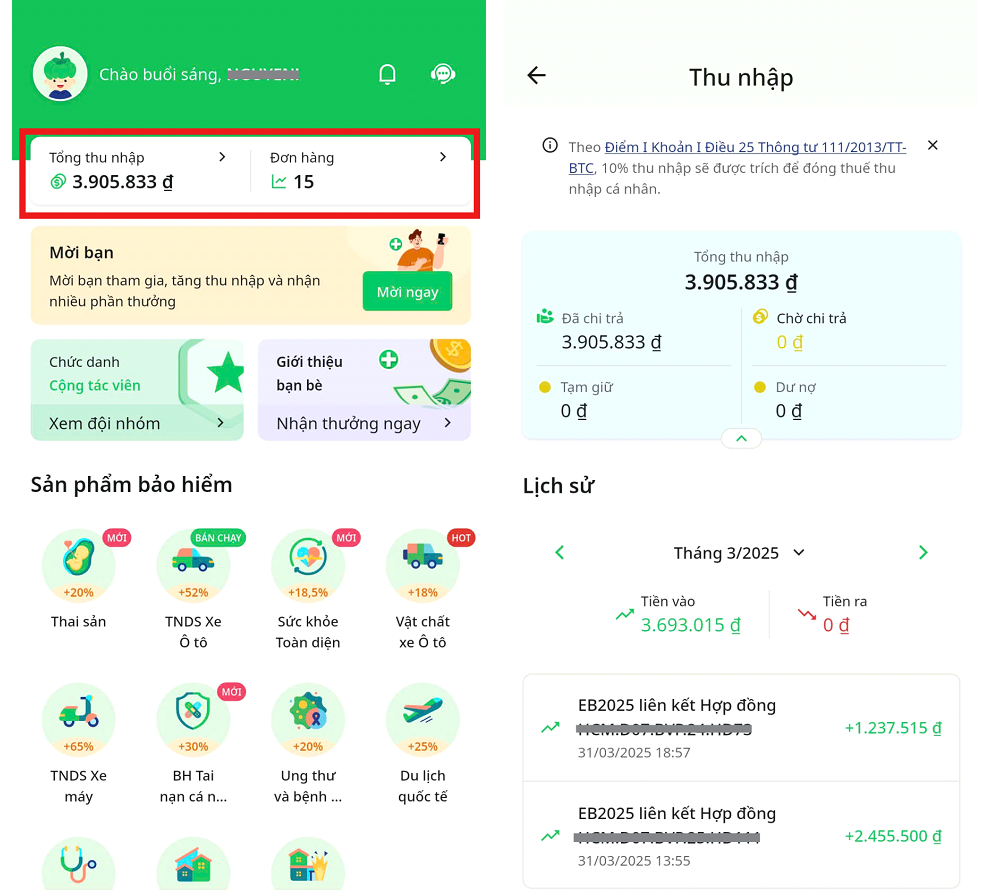 |
| Note: The total income amount is the sum of all your income generated up to the present time (excluding deducted personal income tax). The actual amount you receive may differ from the recorded income due to Personal Income Tax (PIT) deductions applied in accordance with mandatory tax regulations. |
Was this article helpful?
That’s Great!
Thank you for your feedback
Sorry! We couldn't be helpful
Thank you for your feedback
Feedback sent
We appreciate your effort and will try to fix the article